

MY24
Autism & Special Needs UI/UX Design Caregiver + Client Mobile App
Get2It enlisted The Skins Factory to design MY24, a mobile application connecting caregivers with the children or adults with autism and other special needs they support. Organized around Caregiver, Client, and Client Setup experiences, the app turns daily routines into clear assignments: caregivers create and monitor tasks, clients complete them and earn stars toward rewards, and the broader support team stays coordinated around schedules, activities, progress, and care.
Design direction note: Our original color recommendation used muted greens and blues with soft pinks, oranges, and neutral tones, while intentionally avoiding highly stimulating reds and yellows. The screens displayed in the portfolio reflect the client’s later revised color direction.
The Challenge
Designing one connected experience for caregivers, clients, and support teams
Caregivers needed efficient tools for assigning tasks, managing calendars, monitoring daily activities, reviewing progress, and coordinating with parents, guardians, teachers, therapists, and other team members. At the same time, clients needed an experience that made expectations easy to understand and encouraged them to participate consistently. Both sides had to work together without making everyday routines feel confusing, clinical, or burdensome.
Our Approach
Turning task completion into visible progress and positive reinforcement
We made the task-and-reward system the center of the experience. Caregivers could assign and monitor activities, while clients received clear visual tasks and earned stars as each one was completed. Those stars could then be exchanged for rewards, transforming positive reinforcement into the application’s primary interaction loop. A shared visual language, tactile interface elements, clear calendars, activity tracking, and multiple paths for adding tasks made the system approachable and practical for repeated daily use.
The Caregiver Screens
The project was broken up into 3 parts. The Caregiver screens, the Client screens and the Client Setup screens. Caregivers can be Teachers, Special Need Therapists, Parents, Guardians or anyone who takes care of a child or adult on the Spectrum or who has Special Needs. A major component of the app is Task management. The Caregiver assigns the Client tasks that they have to complete. From the app, the Caregiver can monitor Daily Activities, check the Calendar for Tasks, Add & Edit Tasks and view the Client’s other Team Members.
Tasks + Calendar
Tasks are important for those with Special Needs as it can improve a sense of wellbeing, behavior and build confidence, We designed both the Caregiver and the Client screens with the same design language. A simple, intuitive, fun UI utilizing a hybrid of both flat, glassmorphic and soft, rubberized-looking design components. We built gamification into the app so as tasks are completed, the Client earns stars which can then be traded in for rewards.
Tasks


Calendar
The Calendar feature in MY24 provides Caregivers with a convenient and efficient method of monitoring tasks and adding new ones. Recognizing the significance of tasks, we have incorporated redundancy to ensure the ability to seamlessly add new tasks in multiple areas of the mobile application.

Team
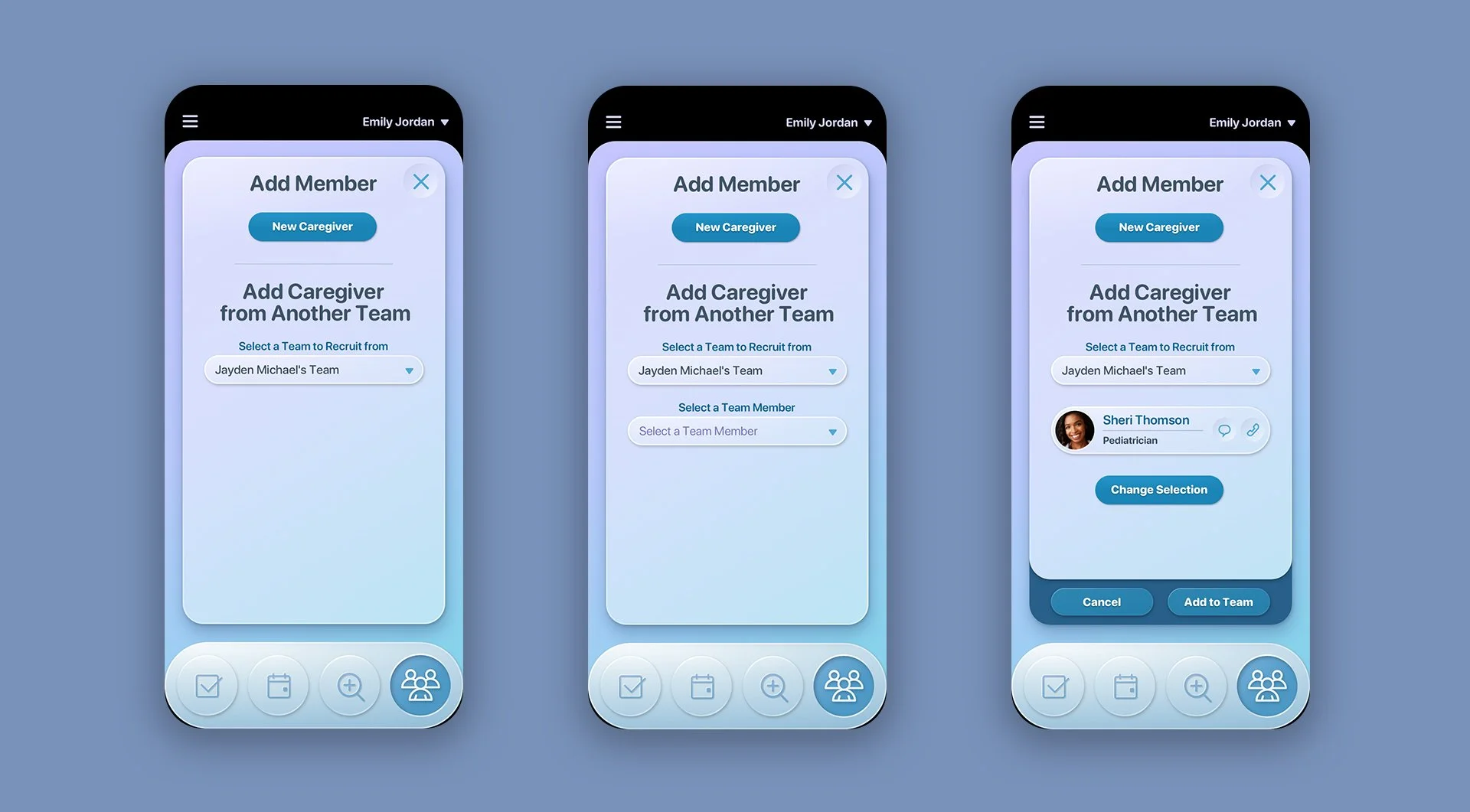
Special Needs Individuals can benefit from having a cohesive, multidisciplinary team supporting them. This team may consist of professionals such as Teachers, Occupational & Speech Therapists, as well as the inclusion of Parents or Guardians. The app has been specifically designed to facilitate the seamless addition of new Team members, enabling efficient communication through chat and call functionalities for improved collaboration within the team.
The MY24 app provides a centralized platform for team members to share important information, such as individualized education programs (IEPs) and therapy plans, allowing for efficient collaboration and coordination. This can greatly improve the overall care and support provided to special needs individuals.
For example, teachers can easily communicate with therapists about an individual's progress or specific needs, while therapists can share recommendations and strategies with teachers for implementation in the classroom. Parents or guardians can also participate in the team, receiving updates and having direct communication with all team members, ensuring that they are informed and actively involved in their child's care.




Activity
In the Activity section of the application, Caregivers can easily view, update & monitor the Client's daily activities. This feature allows Caregivers to keep track of the tasks that have been completed and those that are still pending. This helps in planning and managing the care routine effectively.
The Activity section also allows Caregivers to view reports related to the Client's daily activities. These reports provide important insights into the Client's progress, overall well-being and any issues or incidents that may have occurred.
Effective communication between Caregivers and Clients is vital in providing quality care. MY24 recognizes this and has incorporated features to facilitate communication. Caregivers can use the application to update the Client about any changes in the care routine, share important information, or ask questions. Clients can also use the application to communicate their needs and preferences to their Caregivers.
By promoting effective communication and providing a user-friendly interface for tracking daily activities, MY24 ensures smooth operations and comprehensive care. The Activity section plays a crucial role in enabling Caregivers to stay organized, monitor progress, and collaborate effectively with Clients to provide the highest standard of care.


Caregiver Menus
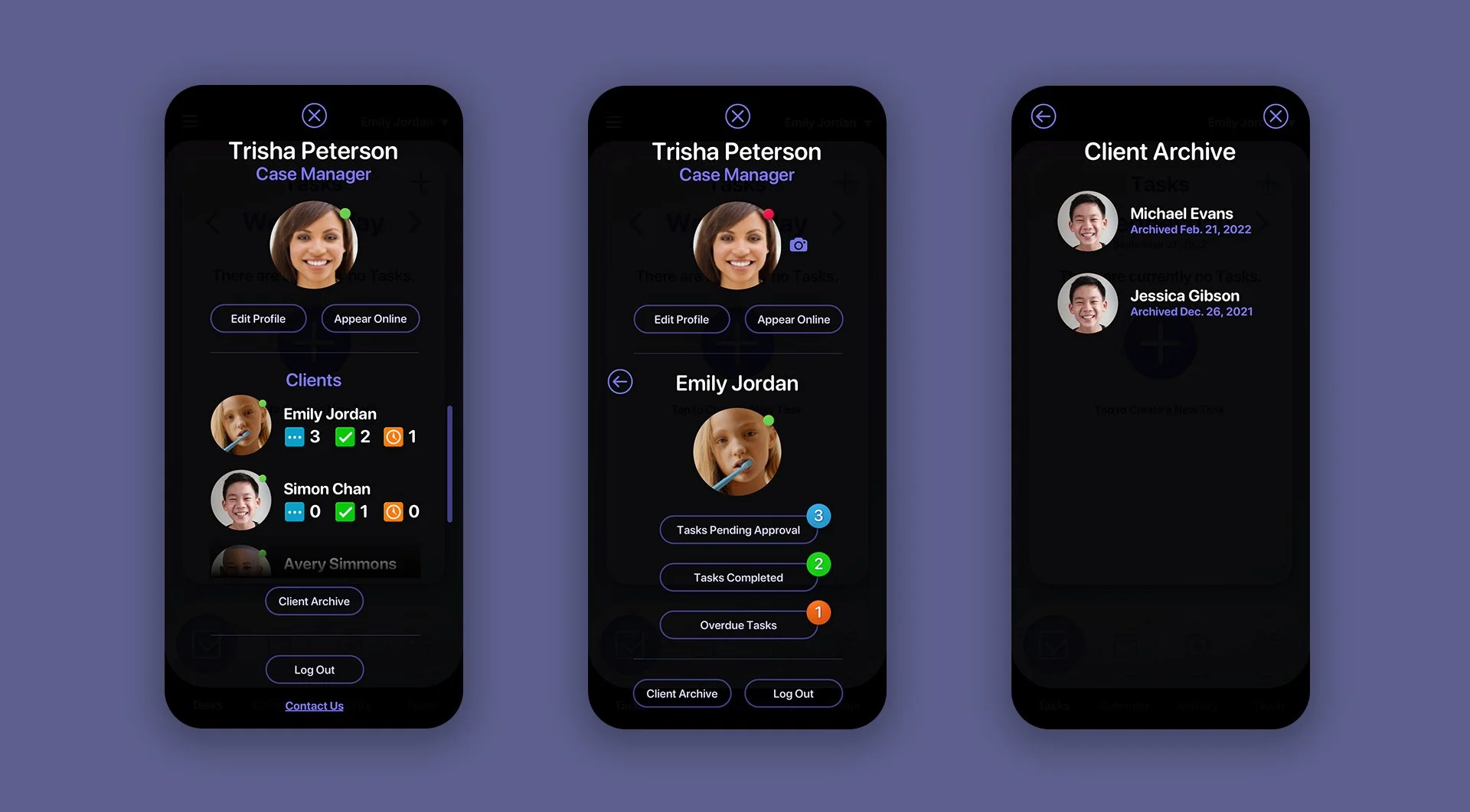
Our team of user experience designers ensured that all menus in the app were optimized for maximum screen space, providing users with plenty of room to comfortably navigate and work. The use of a dark background enhances contrast and allows users to easily focus on their tasks without distractions.
Account Menus

Client Access Menus


The Client Screens
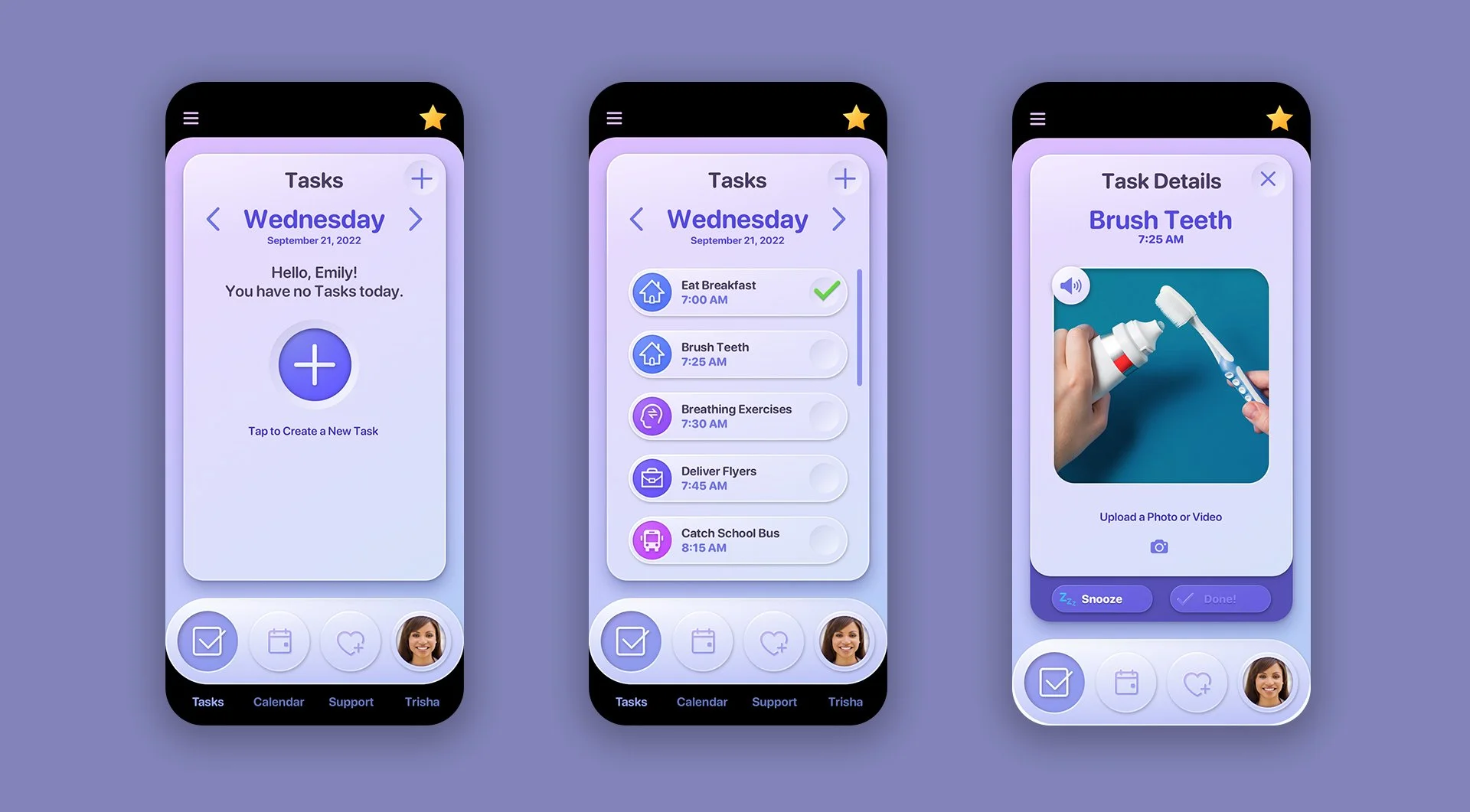
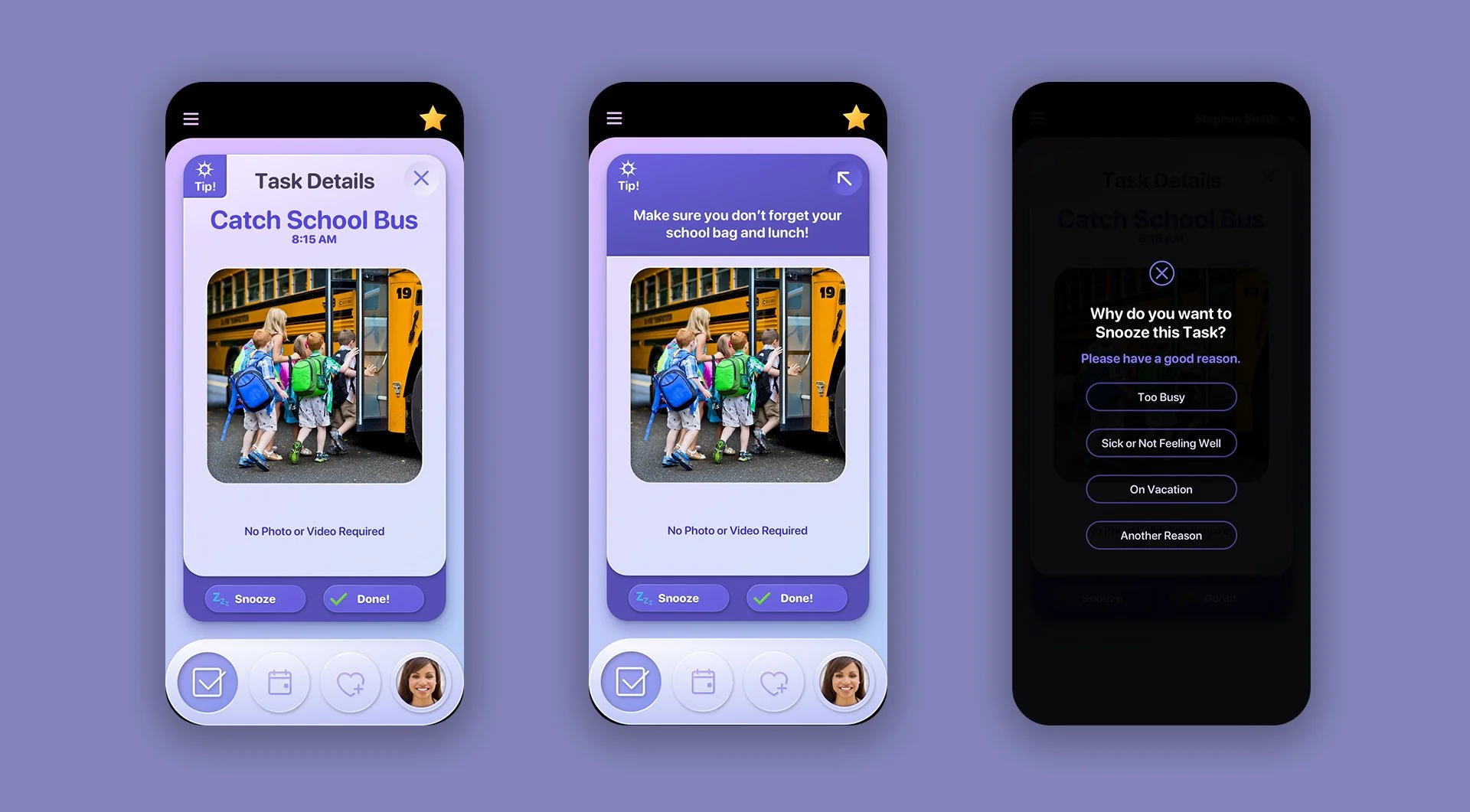
The Client screens were designed to follow the same visual design language as the Caregiver screens, with minor content variations. Our design team aimed to create a fun, user-friendly and visually appealing interface. Having designed milestone projects for The Walt Disney Company including a full Disney.com site icon redesign, the Disney online music store, custom Windows Disney desktop themes and other various projects, we were right at home designing MY24.
TASKS
Our client will supply a range of stock images, allowing users the choice to use the stock images provided or upload their own images in order to further personalize the experience. In the event that a user does not allocate an image to a task, we provided placeholder icons for all the various task categories..



Contact
Effective communication is crucial when it comes to Special Needs clients and their Caretaker & Support team. With this in mind, our team dedicated significant effort to refining the layout of the main Contact page to ensure an optimal user experience, both on the contact screen itself and on the add & edit Contact screens.


Rewards Menus
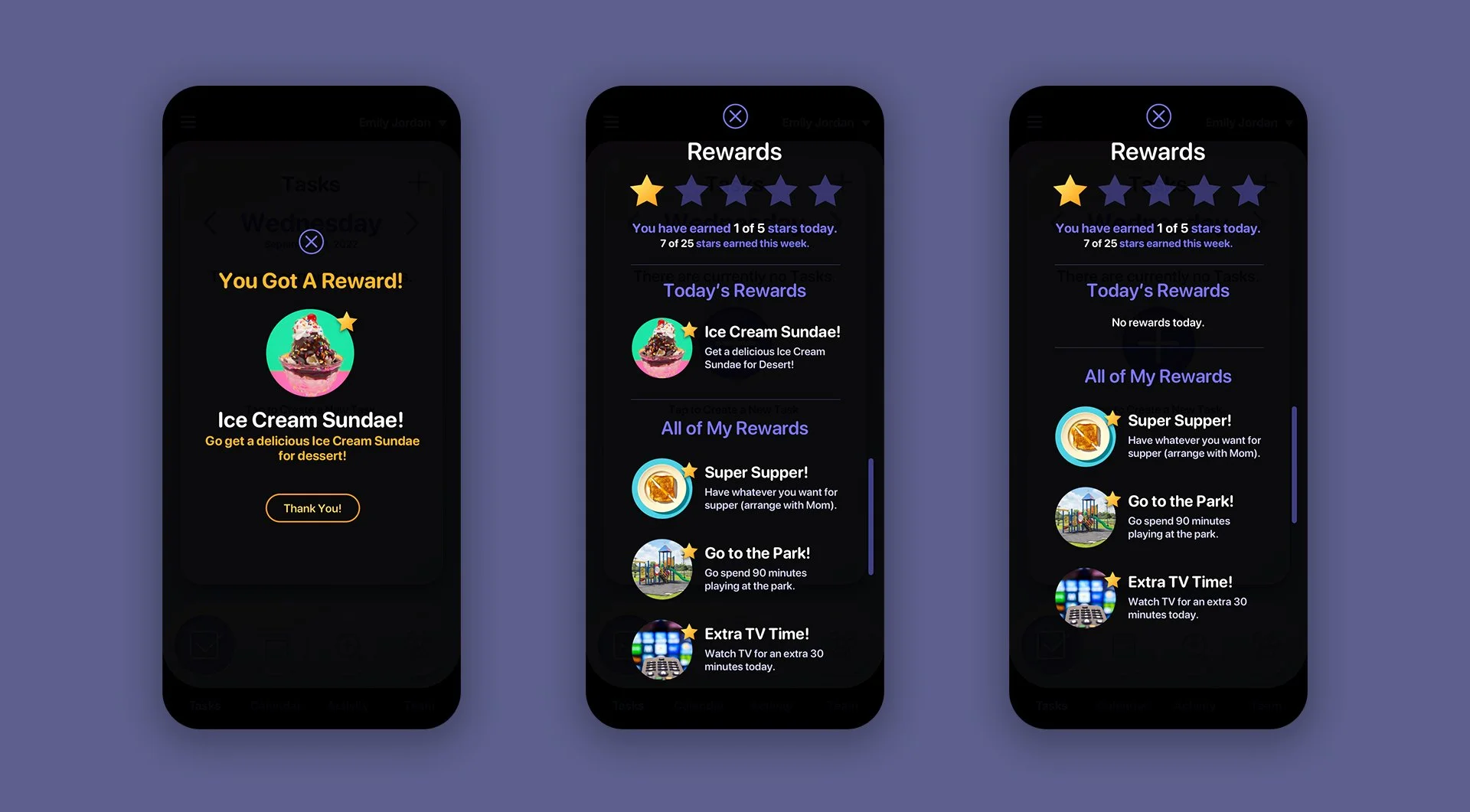
The implementation of reinforcement strategies is essential for promoting the completion of tasks and reinforcing desired behaviors. By incorporating game mechanics or gamification attributes into MY24’s activities, individuals are motivated to actively participate and successfully accomplish their objectives. This is one of the main strategies of ABA (Applied Behavior Analysis) therapy.
Support


The Client Setup Screens
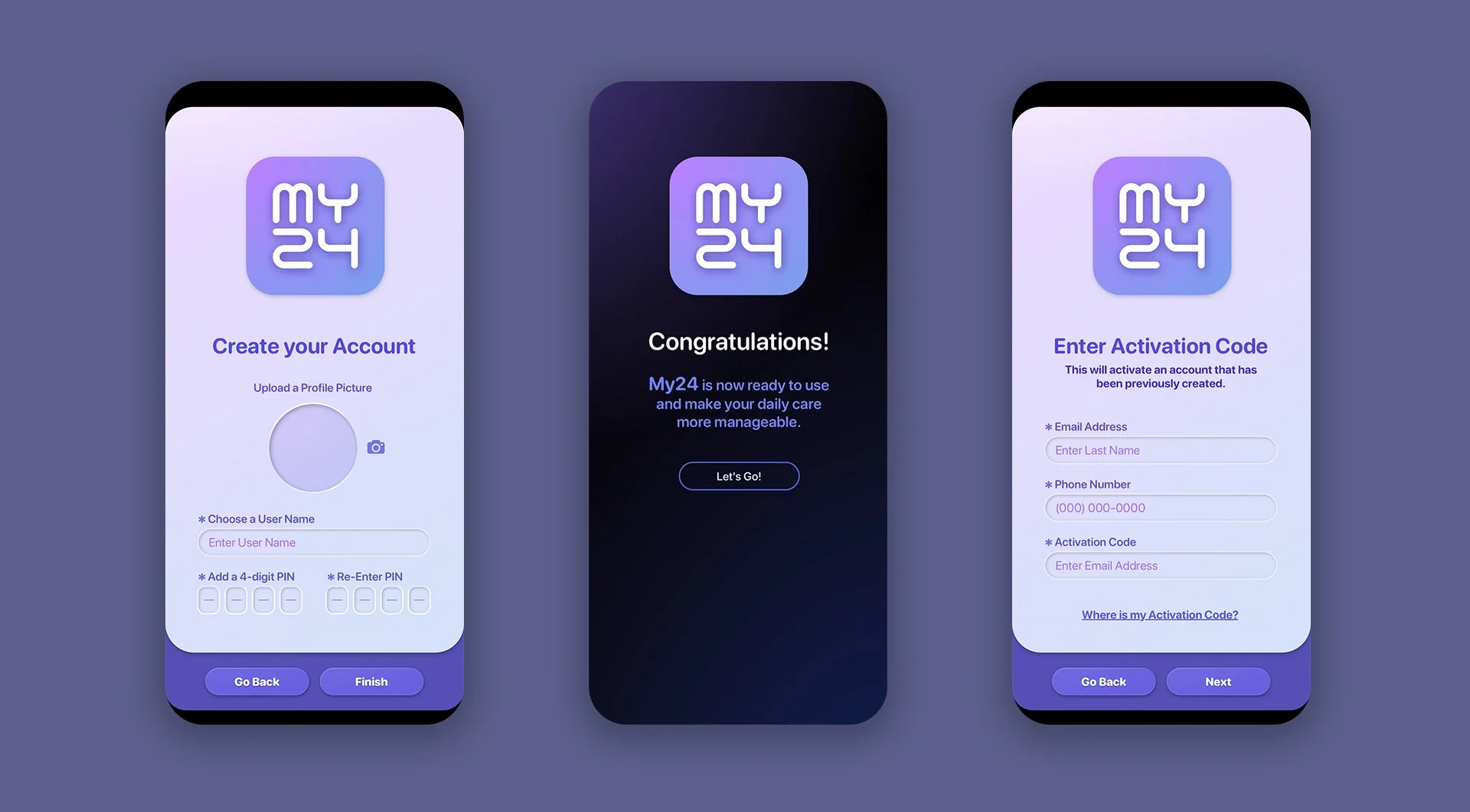
Sign Up + Set Up + Subscription Screens




Check out the Prototypes
We offer a look at the various comps our user interface designers worked on at the start of the MY24 project. These screens represent our studio's recommended color direction for the project.
Have a project in mind? Let's talk.
Thank you for reaching out.
We will be in touch within one business day.